
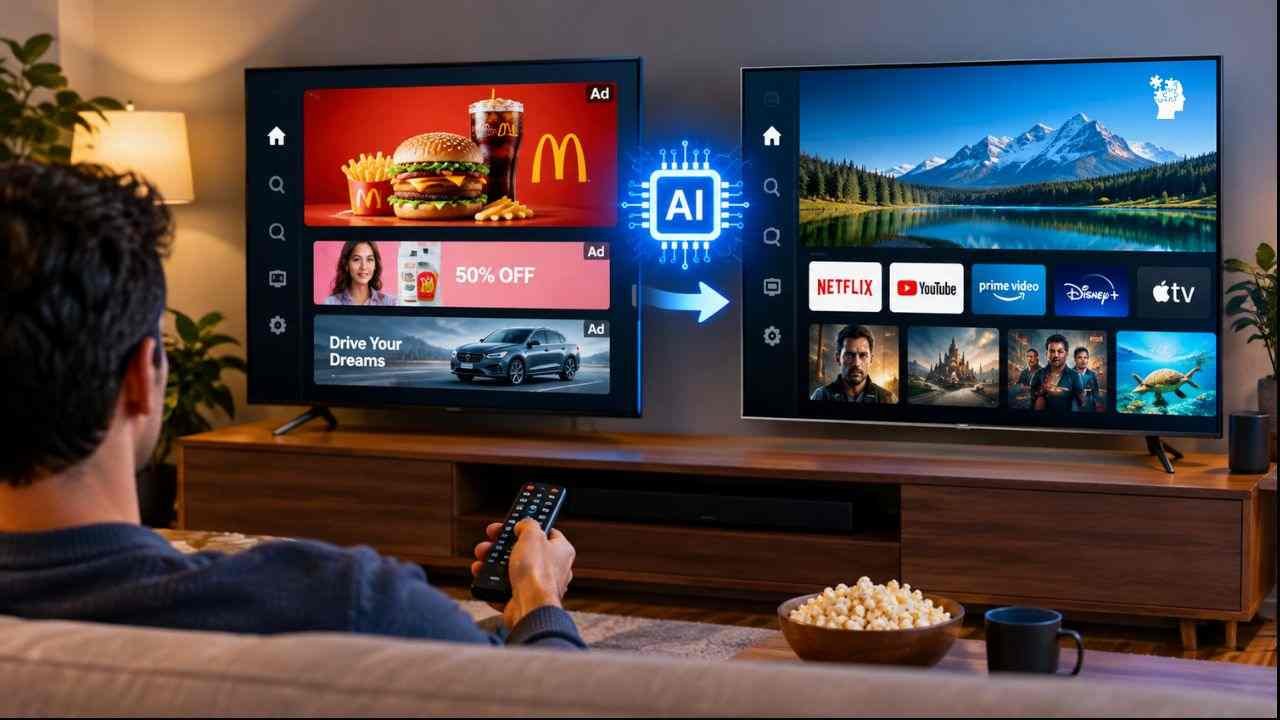
A new wave of hobbyists is using Claude Code to strip ads, tracking, and bloatware from their televisions. Here’s how it works — and what could go wrong.
Ryan Doyle didn’t consider himself a hacker. He’s a regular consumer who owns an Android TV and was tired of waiting through sponsored content just to open Netflix. On October 17, 2026, he opened Claude Code, pasted the model number of his television, and typed a simple prompt: “Can you hack this?”
What happened next went viral.
Within minutes, Claude Code had walked Doyle through a process that removed preinstalled ads, disabled tracking features, stripped away manufacturer bloatware, and replaced the cluttered stock launcher with a clean, minimal interface. He posted about it. Others copied him. Within 48 hours, thousands of smart TV owners had done the same thing to sets from TCL, Sony, Hisense, Philips, and Amazon Fire TV.
The tools are now public on GitHub. The trend is accelerating. And the implications — for consumers, manufacturers, and the broader AI industry — are just beginning to unfold.
Table of Contents
How a Viral Post Became a Movement
Doyle’s post on October 17 wasn’t the only one that day. Developer Gathin shared a similar story: Claude Code found his parents’ TV on their home Wi-Fi network, identified 25 preinstalled Xiaomi packages, disabled them, and wrote a custom launcher from scratch. The TV had been forcing a sponsored ad on the home screen before anyone could access streaming apps. After the “hack,” the ad was gone.
Gathin published the prompt and launcher code on GitHub under the name tv-vibehack (later renamed Clean Your TV). He estimated that a few thousand people replicated the process on their own televisions within the next two days.
A second repository, dumbtv, took things further. Its promise: “No ads from the TV itself, no watch tracking, no update you did not ask for.” Tested on Amazon Fire TV, Hisense, Philips, and Nvidia Shield devices, dumbtv disables approximately 65 packages — including Amazon’s Automatic Content Recognition (ACR) feature and advertising ID tracking.
The common thread? None of these users had coding backgrounds. They had Claude Code, a Wi-Fi connection, and a frustration with the modern smart TV experience.
The Technical Method: ADB + AI Agent
The process relies on Android Debug Bridge (ADB), a developer tool built into every Android and Android-based TV operating system. Here’s the simplified workflow:
- Enable ADB on the television (typically found in Developer Options)
- Connect Claude Code to the TV over the local network
- Prompt the AI with the TV model and a request to remove ads, tracking, and bloatware
- Review the suggested commands — the AI generates
adb shell pm disablecommands for specific packages - Execute and verify — the packages are disabled (not uninstalled), meaning the process is reversible
- Install a minimal launcher to replace the ad-filled stock home screen
The method requires no root access. Because packages are disabled rather than deleted, users can re-enable them if something breaks. For most, the result is a faster, cleaner interface without the sponsored content that manufacturers use to subsidize hardware costs.
Samsung Tizen and LG webOS televisions run on different operating systems and are not compatible with these tools.
Why Now? The Frustration Behind the Trend
Smart TV manufacturers have increasingly treated the home screen as advertising real estate. Sponsored rows, recommended content, and tracking-powered personalization have become standard — often with no clear way to opt out.
Automatic Content Recognition (ACR) is the technology at the center of the privacy concern. It identifies what appears on screen — whether from streaming apps, cable, or even gaming consoles — and sends that data back to manufacturers and their advertising partners. The result: personalized ads based on viewing habits, even for content that never passed through the manufacturer’s own software.
For consumers, the trade-off has become harder to swallow. They paid for the hardware. They pay for the streaming subscriptions. And yet the television still serves them ads and monitors what they watch.
Claude Code didn’t create this frustration. It simply removed the technical barrier that once prevented ordinary users from doing something about it.
The Risks: What Could Go Wrong
The tools are effective, but they are not without danger. Several users have reported problems:
- Bricked devices: One user reported that Claude Code disabled a critical system package, rendering their Android TV unbootable
- Broken features: Disabling the wrong package can break the Home button, HDMI input switching, or remote control functionality
- Missing updates: Many debloating lists disable firmware update packages, leaving TVs vulnerable to security patches
- Inconsistent AI behavior: Some users found that Claude refused requests to “hack” their TV, while others received overly aggressive package lists
Security researchers advise users to:
- Research each package before disabling it
- Turn off ADB debugging after completing the process
- Document what was changed so it can be reversed
- Accept that these tools are experimental and results vary by device
What This Means for the Industry
If this trend moves beyond hobbyists and early adopters, it poses a direct threat to the smart TV business model. Manufacturers increasingly rely on post-purchase revenue — advertising, data monetization, and content partnerships — to offset thin hardware margins. A world where consumers routinely strip these features represents a fundamental challenge to that strategy.
The parallel to web browser ad-blocking is hard to ignore. uBlock Origin, AdBlock Plus, and similar tools reshaped online advertising. Smart TV debloating could do the same for connected television — except this time, AI agents are making the tools accessible to users who wouldn’t know what a “package name” is, let alone how to disable one.
For AI companies, the trend also raises questions. Claude Code was designed as a software development assistant. Its use as a consumer hacking tool — even for benign purposes like removing ads — sits in a gray area that Anthropic and other AI labs may eventually need to address.
The Bottom Line
Smart TV owners have found a new way to reclaim their devices from advertising and tracking — and they didn’t need to learn to code to do it. Whether this becomes a mainstream movement or remains a niche hack depends on how manufacturers respond. They could improve the user experience, offer clearer opt-outs, or they could lock down ADB access and make these workarounds impossible.
For now, the message from thousands of newly “clean” televisions is clear: consumers are tired of being the product. And AI just handed them a tool to do something about it.
Quick Facts
| What | Smart TV owners using Claude Code to remove ads, tracking, and bloatware |
| When | Trend began October 17, 2026 |
| Tools | Clean Your TV (GitHub), dumbtv (GitHub) |
| Method | ADB + AI-generated disable commands + custom launcher |
| Compatible | Android TV, Google TV, Fire TV, select brands (TCL, Sony, Hisense, Philips, Nvidia Shield) |
| Not Compatible | Samsung Tizen, LG webOS |
| Key Risk | Bricking devices, breaking features, disabling security updates |
| Reversible? | Yes — packages are disabled, not uninstalled |